A free ebook, as a PDF and an EPUB
Building a web UI for your coding agent
Stream every token and tool call over SSE, show each call as a card, keep the plan in view, and let people cancel, redirect and approve without losing the run.
The ebook is open in a new tab
If it did not open, open the PDF. For a reading app, download the EPUB. Both links work for a day; the form gives you new ones any time.
Build it live, with an engineer reviewing your choices
Build a Mission Control for AI Agents. A board of AI employees that resolve a company's billing issues, where a refund waits for your tap and a card closes only when the payments ledger agrees.
The Lightning recordings on this site are free with an account.
Look insidePages from the PDF, as they print.
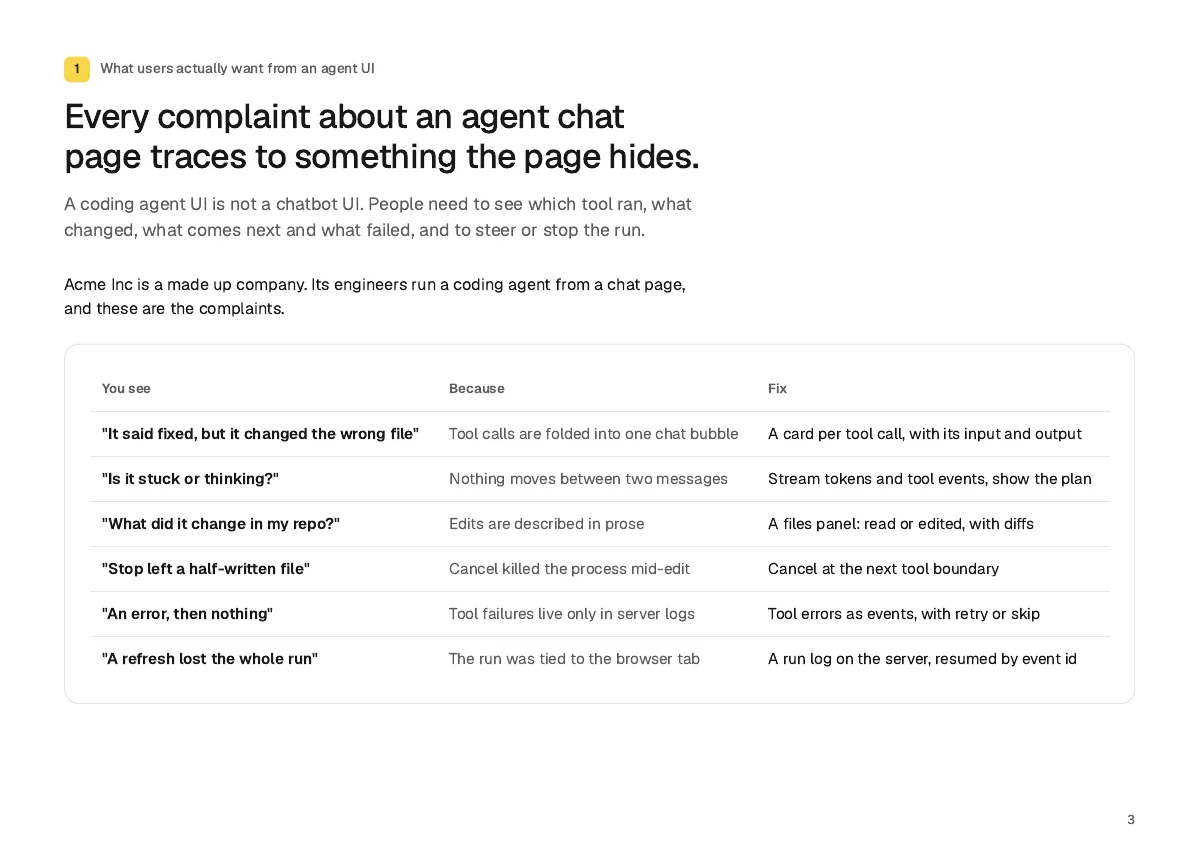
Page 3: Every complaint about an agent chat page traces to something the page hides. 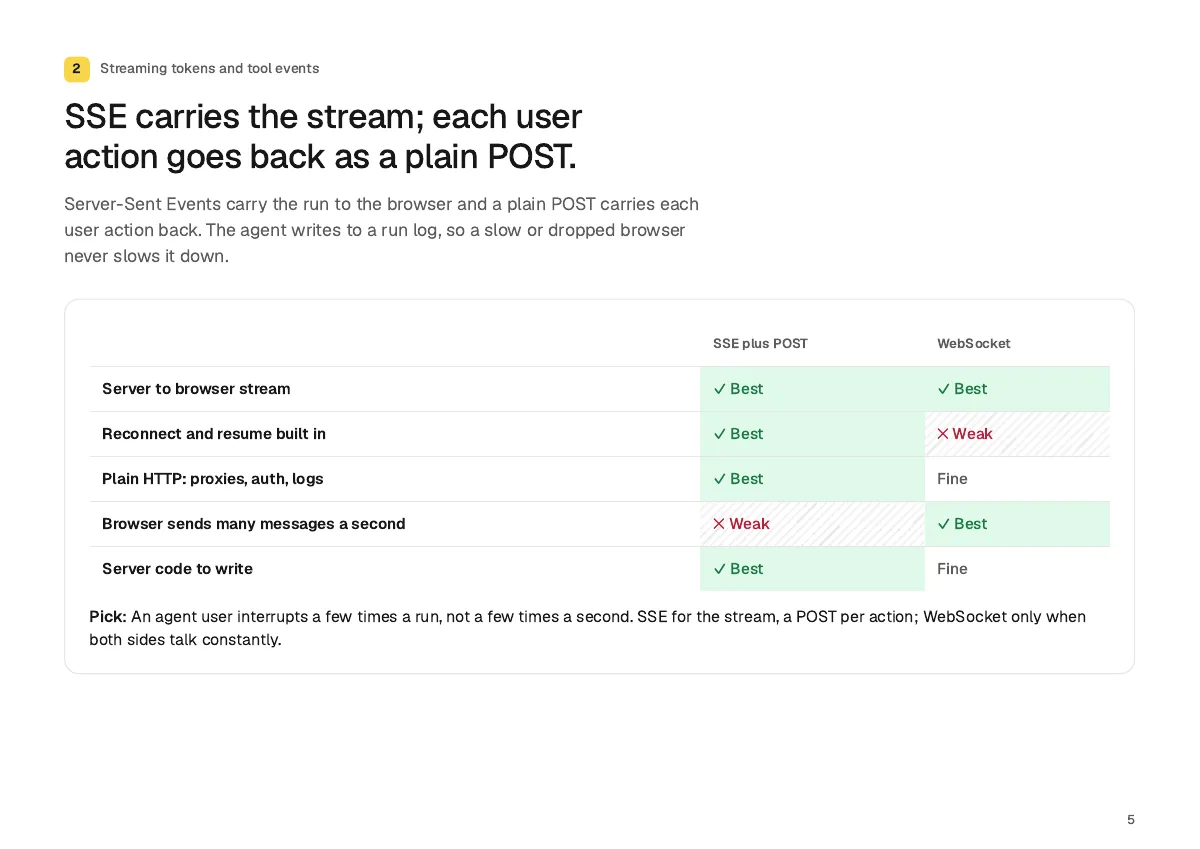
Page 5: SSE carries the stream; each user action goes back as a plain POST. 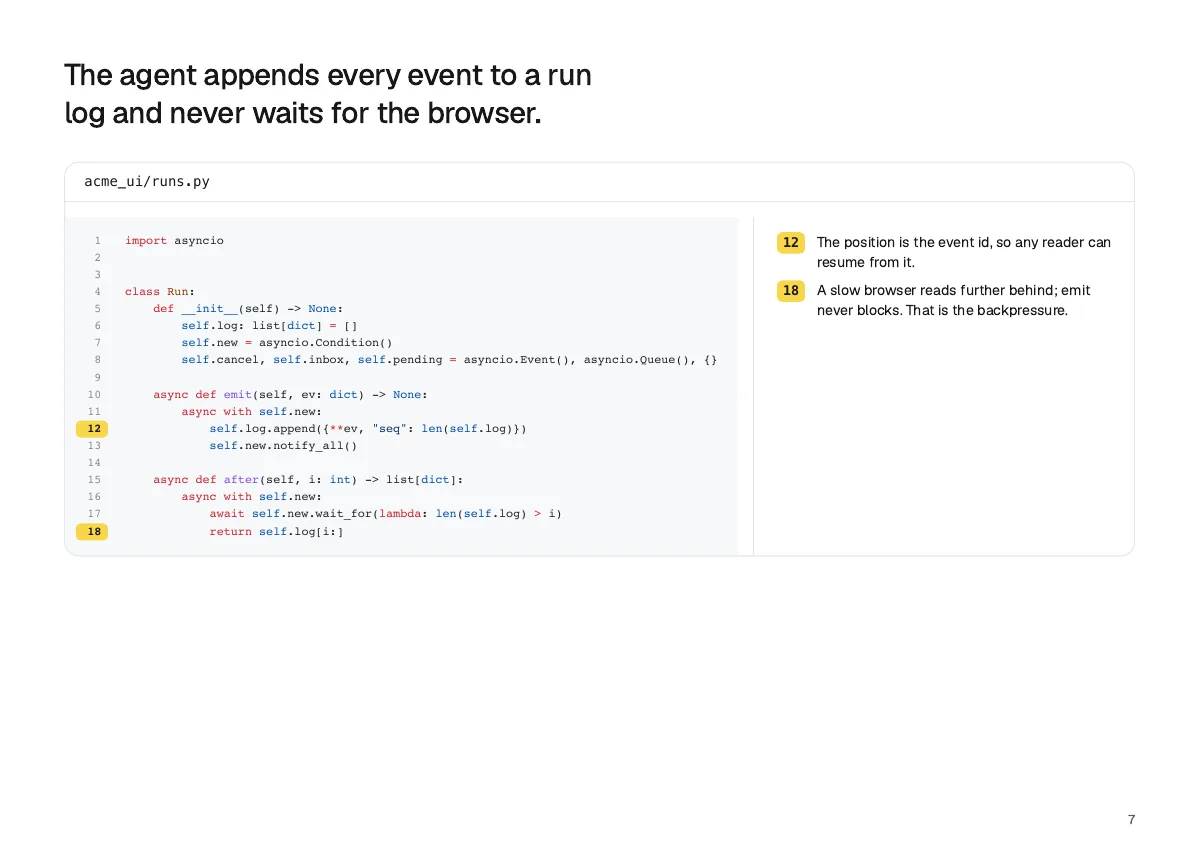
Page 7: The agent appends every event to a run log and never waits for the browser. 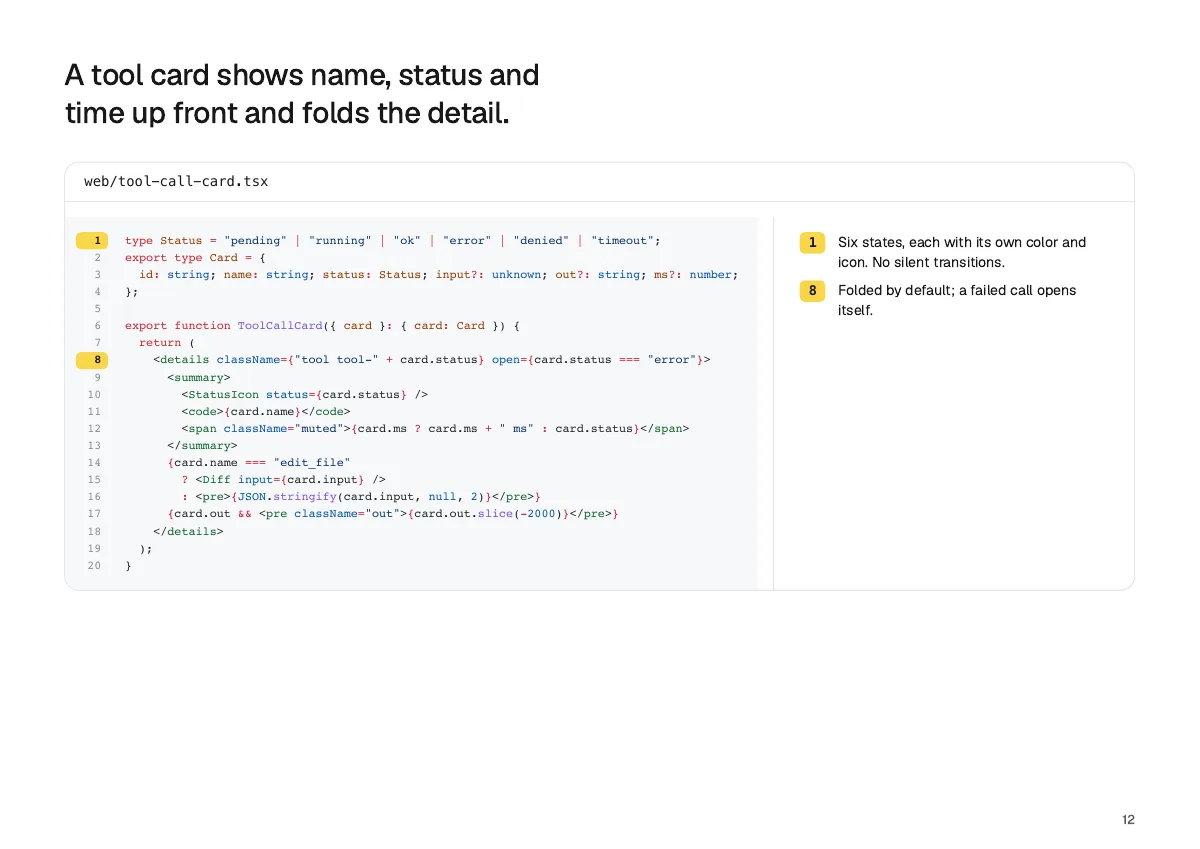
Page 12: A tool card shows name, status and time up front and folds the detail. 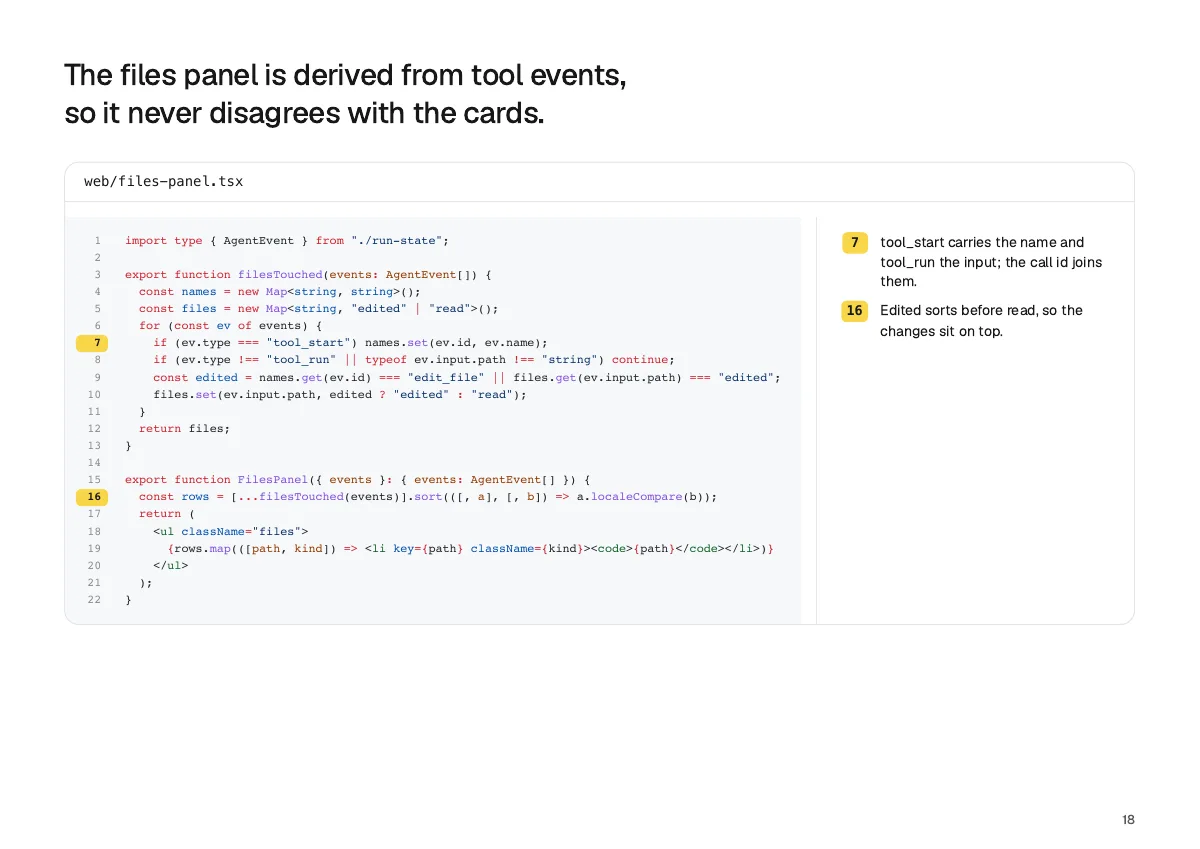
Page 18: The files panel is derived from tool events, so it never disagrees with the cards. 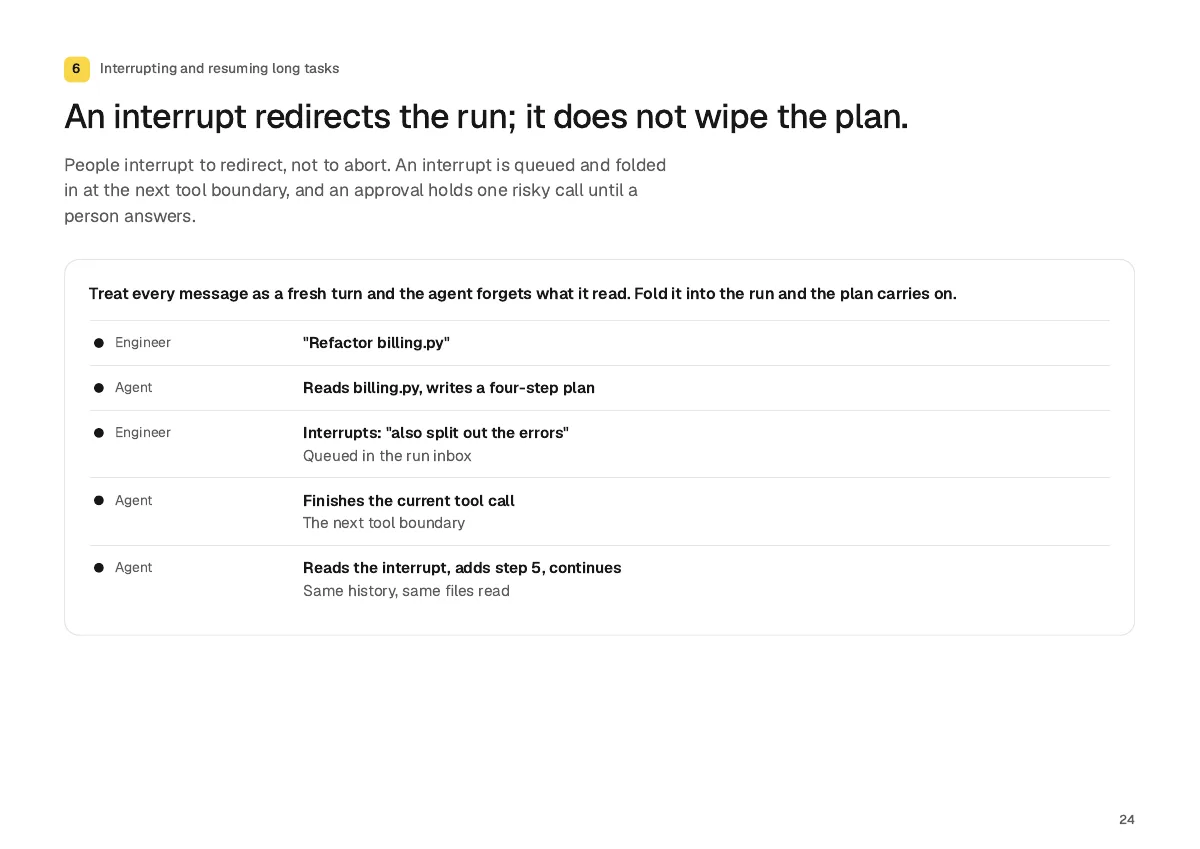
Page 24: An interrupt redirects the run; it does not wipe the plan.
What the ebook covers
- 1
What users actually want from an agent UI
A coding agent UI is not a chatbot UI. People need to see which tool ran, what changed, what comes next and what failed, and to steer or stop the run.
- 2
Streaming tokens and tool events
Server-Sent Events carry the run to the browser and a plain POST carries each user action back. The agent writes to a run log, so a slow or dropped browser never slows it down.
- 3
Rendering tool calls and their status
Each tool call is a card moving through pending, running and done; events batch per frame.
- 4
Showing the plan, memory and files
Long tasks look frozen without a visible plan. The agent keeps its plan in a tool, memory shows what it works from, and the files panel is derived from the same events as the cards.
- 5
Recovering from errors and cancels
A tool failure is an event, not a crash: the card shows it and the model reads it. Cancel is a flag the loop checks between tool calls, so the history stays valid and the run can continue.
- 6
Interrupting and resuming long tasks
People interrupt to redirect, not to abort. An interrupt is queued and folded in at the next tool boundary, and an approval holds one risky call until a person answers.
- 7
The page to keep and the questions people ask
Every layer of a coding agent UI on one page, then short answers to what engineers search about building one.